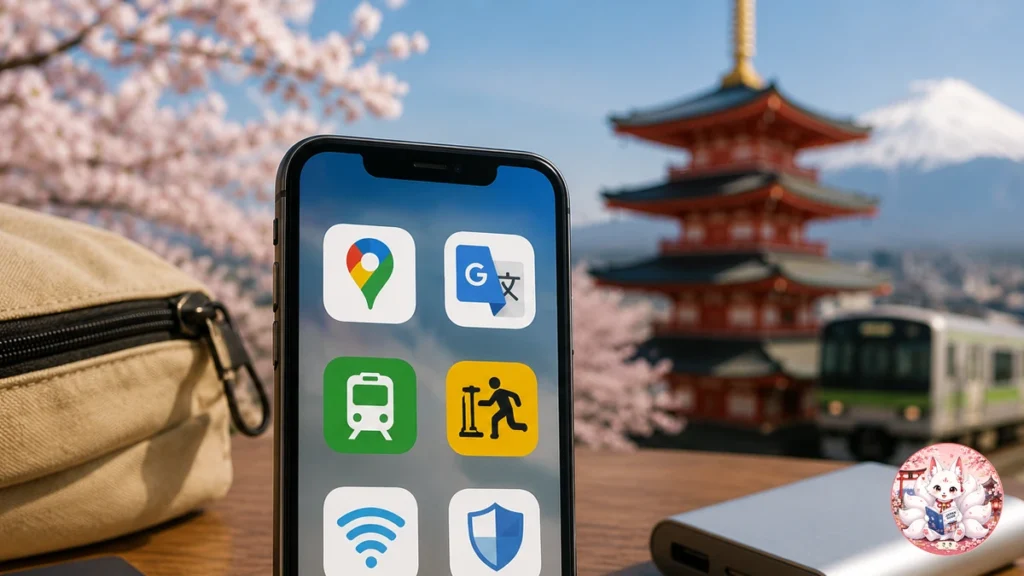
You do not need a folder full of Japan-specific apps for your first trip.
For most travelers, the useful setup is much smaller than the app-store lists make it look. Start with three tools that solve everyday problems, then add anything else only when your itinerary gives you a reason.
LAST CHECKED
August 19, 2026. App availability, supported countries, payment features, and operating-system requirements can change.
My short answer: install Google Maps, Google Translate, and Safety tips before departure. For many first trips, that is enough.
The Short Version
| Tool | Best for | My recommendation |
|---|---|---|
| Google Maps | Everyday navigation | Install |
| Google Translate | Menus, signs, simple communication | Install |
| Safety tips | Earthquake, tsunami, weather alerts | Install |
| Japan Travel by NAVITIME | More complicated rail planning | Add if needed |
| Welcome Suica Mobile | IC card on compatible Apple devices | Add if supported |
| GO | Taxis | Add if you expect to use taxis |
If you are doing a straightforward first trip through places such as Tokyo, Kyoto, and Osaka, do not feel pressured to install everything before you leave home.
How I Chose What Belongs Here
This is not a list of every popular app in Japan. The priority is short-term travel usefulness.
- It solves a problem visitors actually face: navigation, language, safety, transportation, or connectivity.
- It makes sense for a short trip: not something mainly designed around living in Japan.
- It earns its place on your phone: if Google Maps, a browser, or a saved file already solves the problem, another app is not automatically better.
The Three Apps I Would Install for Every First Trip
1. Google Maps — best for getting around
For most first-time visitors, Google Maps is the app you are most likely to open every day. It covers stations, train routes, walking directions, restaurants, stores, and saved places well enough for ordinary sightseeing.
- Save your hotel before departure.
- Save the places you already know you want to visit.
- Download a useful offline map area as backup.
OFFLINE LIMIT
Downloaded Google Maps are useful as a backup, but public-transit, walking, and cycling directions are unavailable offline.
That matters in Japan because trains and walking are likely to be part of your daily routine. If you are not using your home carrier’s roaming plan, arrange mobile data before you land.
Need mobile data in Japan? Compare eSIM options for Japan →
2. Google Translate — best for text you cannot understand
Google Translate is useful for menus, signs, packaging, and short sentences. Camera translation is especially handy when you are looking at Japanese text you cannot type.
Do this before your flight: download Japanese for offline translation. It gives you a useful backup if your connection drops or your eSIM is not active yet.
Machine translation can still miss context, names, abbreviations, and unusual menu terms, so use it as a practical travel aid rather than a guarantee of perfect meaning.
3. Safety tips — best for alerts you hope you never need
Safety tips is designed for international visitors and provides multilingual notifications for earthquake early warnings, tsunami warnings, and weather warnings.
You do not need to keep opening it. Install it before departure, allow the notifications you want, and let it stay in the background.
Add These Only If Your Itinerary Needs Them
| Tool | Add it when… | You can probably skip it when… |
|---|---|---|
| Japan Travel by NAVITIME | You are planning more complicated rail trips, multiple cities, or Shinkansen-heavy travel. | Google Maps already handles your ordinary sightseeing routes. |
| Welcome Suica Mobile | Your Apple device and country are supported and you want a mobile IC card. | You prefer another IC-card setup or your device is not compatible. |
| GO | You expect to use taxis, especially with luggage or late at night. | Your trip is mostly station-to-station public transit. |
| ecbo cloak | You know you will need luggage storage away from your hotel. | Your hotel or a station locker already solves the problem. |
Japan Travel by NAVITIME is the one I would add first if your rail planning starts getting complicated. For a simple day around Tokyo, Google Maps is usually enough.
Welcome Suica Mobile can be convenient, but availability and pre-arrival setup depend on your country and device. For the bigger IC-card decision, see the Japan IC Card Guide for Tourists.
GO is useful if taxis make sense for your trip. Check app availability before departure, but complete account registration after you arrive in Japan.
One Important Tool People Mistake for an App
Visit Japan Web
Visit Japan Web is an official Japanese government web service for online arrival procedures, including immigration and customs-related steps.
It works in a browser. You do not need to search an app store for an official Visit Japan Web app.
Apps I Would Not Install Just Because They Are Popular in Japan
This is where many travel-app lists get bloated. Popular in Japan does not automatically mean useful for a one- or two-week visit.
- Several train apps: start with Google Maps, then add NAVITIME only if you need more detail.
- Several translation apps: one reliable translator with Japanese downloaded offline is enough for most visitors.
- Japanese QR payment apps: most short-term visitors do not need to build their payment setup around them.
- LINE: useful if you already know a person or service will contact you there; otherwise it is not a tourist essential.
- An app for every booking: an email, saved PDF, browser page, or phone wallet may already do the job.
Solve These Two Phone Problems Before You Land
1. Stay online
Live train routes, walking directions, bookings, and current information are much easier with mobile data. Arrange roaming or an eSIM before departure if you need one.
2. Have an offline backup
Download Japanese in Google Translate and save important files locally: your hotel address, booking confirmations, ticket QR codes, and anything you would hate to lose access to during a connection problem.
Do You Need a Japanese Payment App?
For most short-term visitors, no. A simpler setup usually works better:
International card
Use it where your card is accepted.
Some cash
Keep yen available for places that still prefer it.
An IC card
Useful for transportation and some everyday purchases.
Need cash? Read How to Withdraw Cash in Japan. Choosing an IC card? See the Japan IC Card Guide for Tourists.
What Still Works Offline?
| Tool | Offline? | What to expect |
|---|---|---|
| Google Maps | Partly | Downloaded map areas work, but not transit or walking directions. |
| Google Translate | Partly | Downloaded Japanese gives you offline translation support. |
| Saved files | Yes | Screenshots, QR codes, hotel addresses, and PDFs stay available on your phone. |
Before You Board Your Flight
- Save your hotel in Google Maps.
- Download a useful offline map area.
- Download Japanese in Google Translate.
- Install Safety tips and allow the alerts you want.
- Set up roaming or an eSIM if you need mobile data.
- Complete Visit Japan Web when it applies to your arrival.
- Save booking confirmations, important QR codes, and your hotel address somewhere you can reach offline.
Frequently Asked Questions
Can I download Japan travel apps before arriving in Japan?
Most of the core tools in this guide can be downloaded before departure. Availability can still depend on your country, device, operating system, and app-store region. Welcome Suica Mobile has country restrictions, and GO account registration should be completed in Japan.
Can I use Google Maps offline in Japan?
You can download map areas, but public-transit and walking directions are not available offline. Treat offline maps as a backup rather than your main navigation setup.
Do I need a special app for Japanese trains?
Not necessarily. Google Maps is enough for many ordinary trips. Japan Travel by NAVITIME becomes more useful when you want more detailed Japan-specific rail planning.
Do I need a Japanese payment app?
Most short-term visitors do not. International cards, access to cash, and an appropriate IC card are usually more practical for a first trip.
THE TAKEAWAY
Start with Google Maps, Google Translate, and Safety tips. Then let your itinerary decide whether NAVITIME, Welcome Suica Mobile, GO, or a luggage-storage service deserves space on your phone.
A few tools you understand are more useful than ten apps you never open.